PRODUCT FACTS
Redline PDF, at a glance.
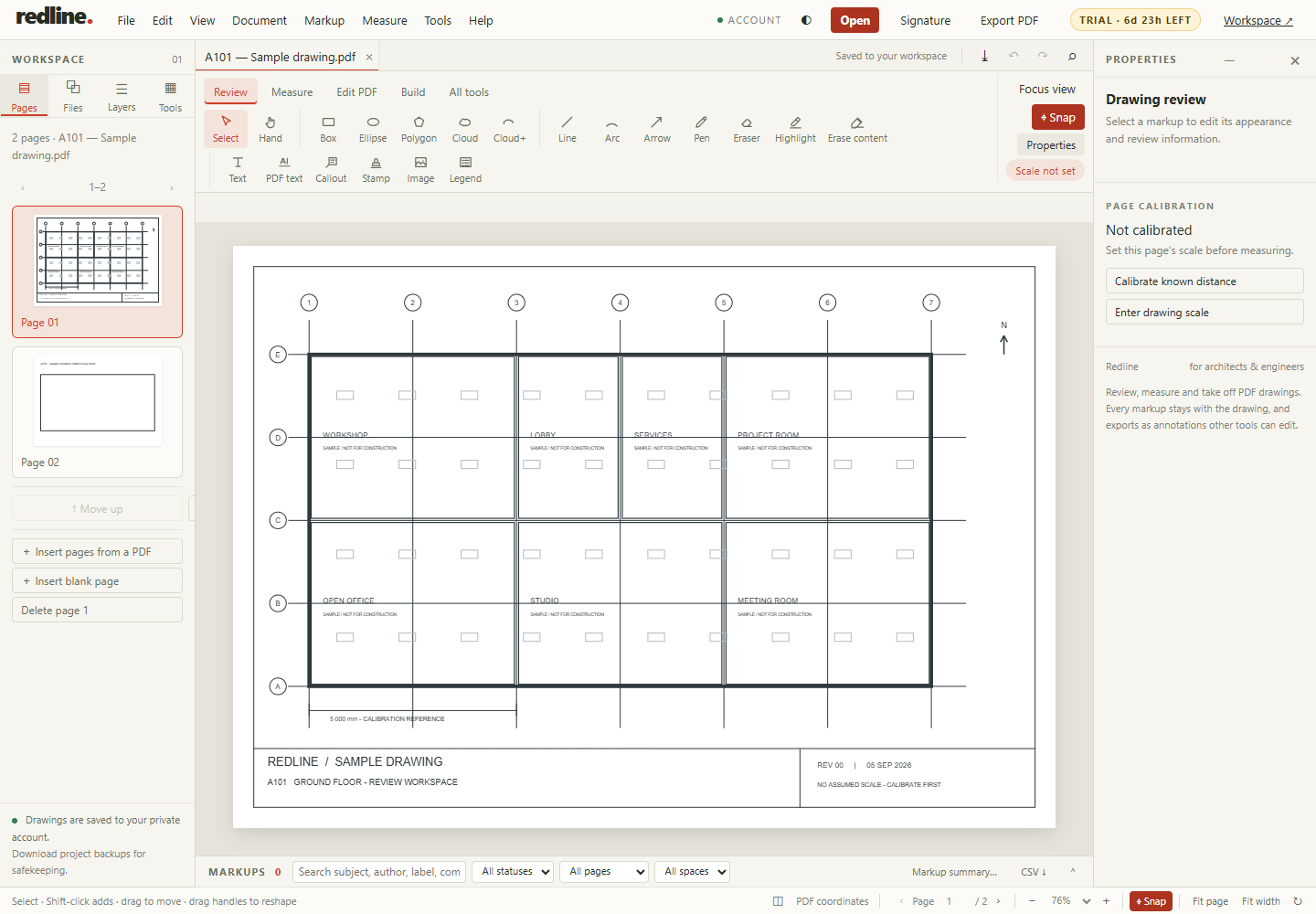
Redline PDF is a browser-based PDF drawing review, markup and takeoff workspace for individual architects, engineers and reviewers.
What is Redline PDF?
Redline PDF is browser-based software for reviewing, marking up and measuring PDF construction drawings, made for the architect, engineer, surveyor or estimator working on their own. It runs at redlinepdf.net with nothing to install, on Windows, macOS, Linux, an iPad or an Android tablet.
Free covers review markup, reading the markups already in a PDF, 3 saved drawings and flattened export. Plus is $9 a month or $90 a year and adds clean and editable PDF exports, printing, page tools, the markup summary, revision comparison and calibrated length and area, with 25 drawings. Pro is $15 a month or $150 a year and adds full takeoff, building elements, CSV and estimates, editing the PDF itself, and unlimited drawings. Every account opens with 30 days of Pro, no card.
What does Redline do?
Review drawings with clouds, callouts, text, stamps and measurements. Organize markups with subjects, status and replies. Reopen saved drawings in your private account workspace. Save reusable signature marks; these are visual marks, not certificate-based digital signatures.
| Question | Answer |
|---|---|
| Price | Free is $0. Plus is USD $9 per month or $90 per year, and Pro USD $15 per month or $150 per year. Taxes and the final charge are shown before purchase. Cancel through the billing portal. Compare Free, Plus and Pro. |
| Trial | 30 days of Pro, no card. It ends without charging you. Then Free unless you choose Plus or Pro; your drawings stay. Free keeps basic markup, up to 3 saved drawings and flattened PDF export with a footer; Plus adds clean exports, printing and calibrated length and area; Pro adds full takeoff and more. The Revu 20 switch offer runs for accounts opened by 31 January 2027. |
| Demo | A sample drawing with temporary edits. No personal file uploads, saved signatures, downloads, printing or exports. |
| Exports | PDF with editable annotations, flattened PDF and CSV markup or quantity reports. |
| Devices | Runs in a browser. Use the sample to check your browser and device before starting. A desktop is best for detailed takeoffs. |
Can I delete an existing revision cloud?
If it is a supported PDF annotation, import it as a markup, select it and delete it. If it is flattened into the page, selection depends on the source objects. A scanned cloud is pixels, not an editable annotation. Read the PDF editing guide before changing a drawing.
Are PDF measurements automatically accurate?
No. Calibrate each sheet using a known dimension, then check a second dimension before taking quantities. A printed scale can be wrong after resizing. Follow the calibration guide.
Where are my drawings stored?
Saved drawings belong to your account and are encrypted on the server. See the privacy policy for storage, retention and account deletion details.
Support and updates
Email Contact Redline PDF support or use Help in the application to report a problem or rate your experience. Read release notes for new features.
Next guide
Try it on the sample drawing
Redline runs in the browser — nothing to install. Open the demo to try tools on a sample drawing. Demo edits are temporary; your own files, saving, signatures, exporting, printing and downloads come with an account, which starts with 30 days of Pro, no card. Then Free unless you choose Plus or Pro; your drawings stay. Plus is $9 a month or $90 a year; Pro is $15 a month or $150 a year. Compare the plans.
More: all guides